
CurdX Bridge
Multi-AI split-pane terminal for Claude, Codex, Gemini, and OpenCode.
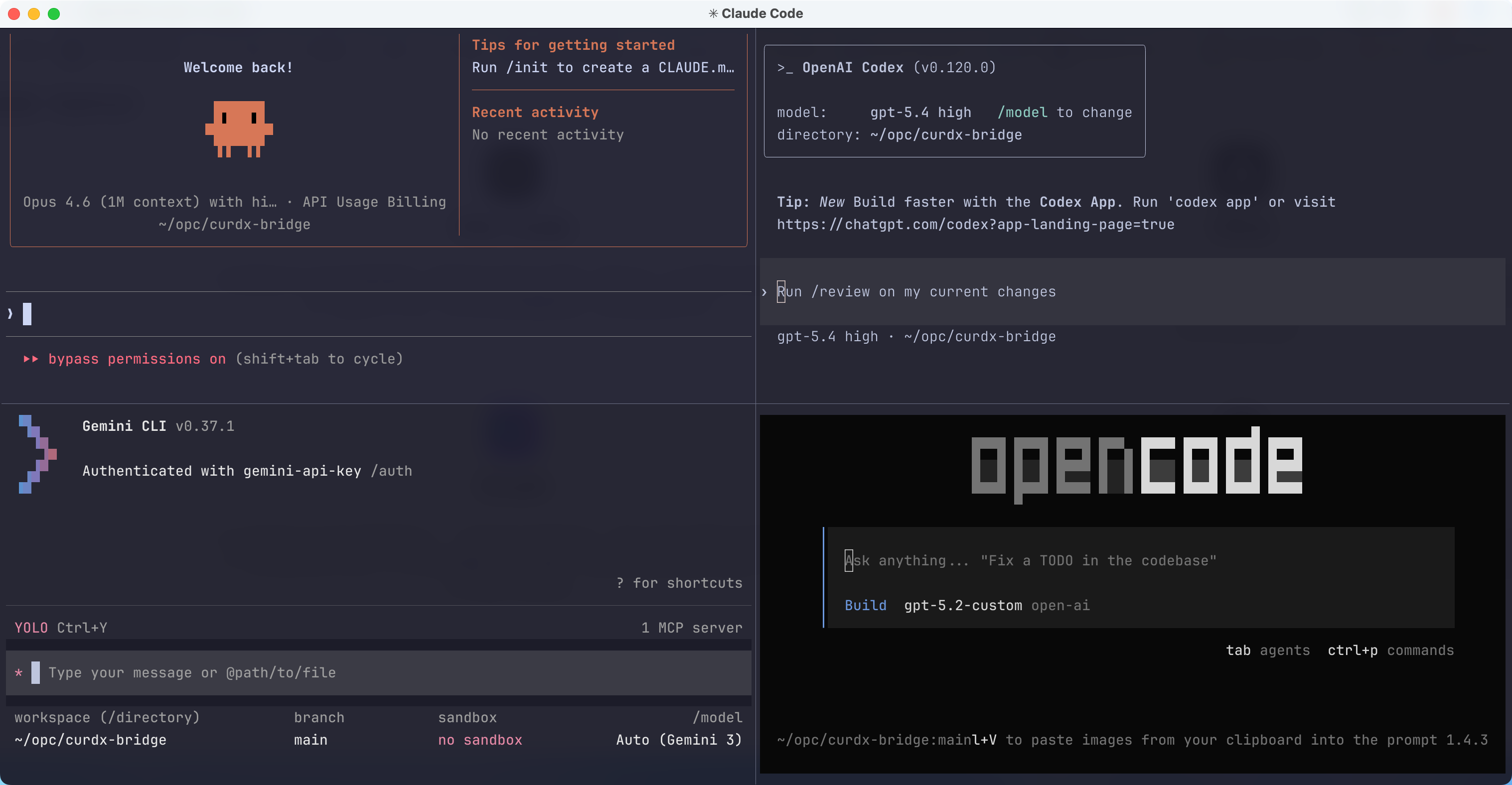
What Is CurdX Bridge?
CurdX Bridge turns a single terminal window into a coordinated multi-agent workspace. You stay in Claude as the main conversation pane, then ask for a review, alternative design, or implementation support in plain English. Claude routes the request, waits for the async reply, and brings the answer back into the same conversation.
That means:
- No manual tab juggling between CLIs
- No copy-pasting the same context into four tools
- No guessing which model should handle planning, review, or brainstorming
- Full visibility because every provider still works in its own pane
Architecture At A Glance
When It Works Best
CurdX Bridge is most valuable when you want one agent to stay accountable while still using specialists:
- Feature work where Claude owns the end-to-end implementation and Codex acts as a review gate
- Refactors where Gemini can generate alternatives without taking over the final decision
- Complex debugging sessions where you want parallel viewpoints but a single operator interface
- Long-running tasks where
-rsession resume matters more than one-shot prompts
Key Features
Natural-language orchestration lets you say things like "have Codex score this plan" or "ask Gemini for three migration options" without leaving the Claude pane.
Role-based collaboration separates planning, inspiration, review, and execution so each provider has a defined job instead of overlapping randomly.
Observable async execution keeps provider panes visible. You can watch work in real time instead of waiting on a hidden background call.
Quality gates enforce scored review loops for plans and code. A weak answer does not silently pass just because a model sounds confident.
Session persistence restores pane state and prior context with curdx -r, which matters for multi-step work that spans hours or days.
Cross-platform support targets macOS, Linux, and Windows through WSL, making the same operator workflow portable.
A Typical Operator Workflow
- Launch
curdxwith the providers you want active. - Explain the task to Claude in the main pane.
- Ask Claude to delegate planning, brainstorming, or review as needed.
- Watch the side panes while Claude waits for async responses.
- Accept the merged result, then continue iterating in the same session.
Power User Tips
- Start with fewer providers for focused tasks.
curdx claude codexis often enough for implementation plus review. - Use Gemini intentionally for divergent thinking, not as a final authority on code correctness.
- Keep Claude accountable. Ask it to explain why it accepted or rejected another provider's suggestion.
- Use
curdx -rfor work that spans multiple commits so each provider keeps useful context. - If a provider goes noisy or drifts off task, restart only that provider instead of throwing away the whole session.
Quick Links
- Getting Started for install, first launch, and initial workflows
- How It Works for architecture, communication, roles, and review rules
- Configuration for
curdx.config, environment variables, and role overrides - Commands for direct CLI usage and shell-level examples
- Skills for planning, execution, and review pipelines
- Troubleshooting for common failure modes and recovery steps